Think fluid.
Your notes, your documents and an AI that live on your own computer. Pay once. Works offline.
DownloadDownload for MacDownload for WindowsSend this link to your computer
For every thought
The task: understand RAG well enough to propose it to your team.
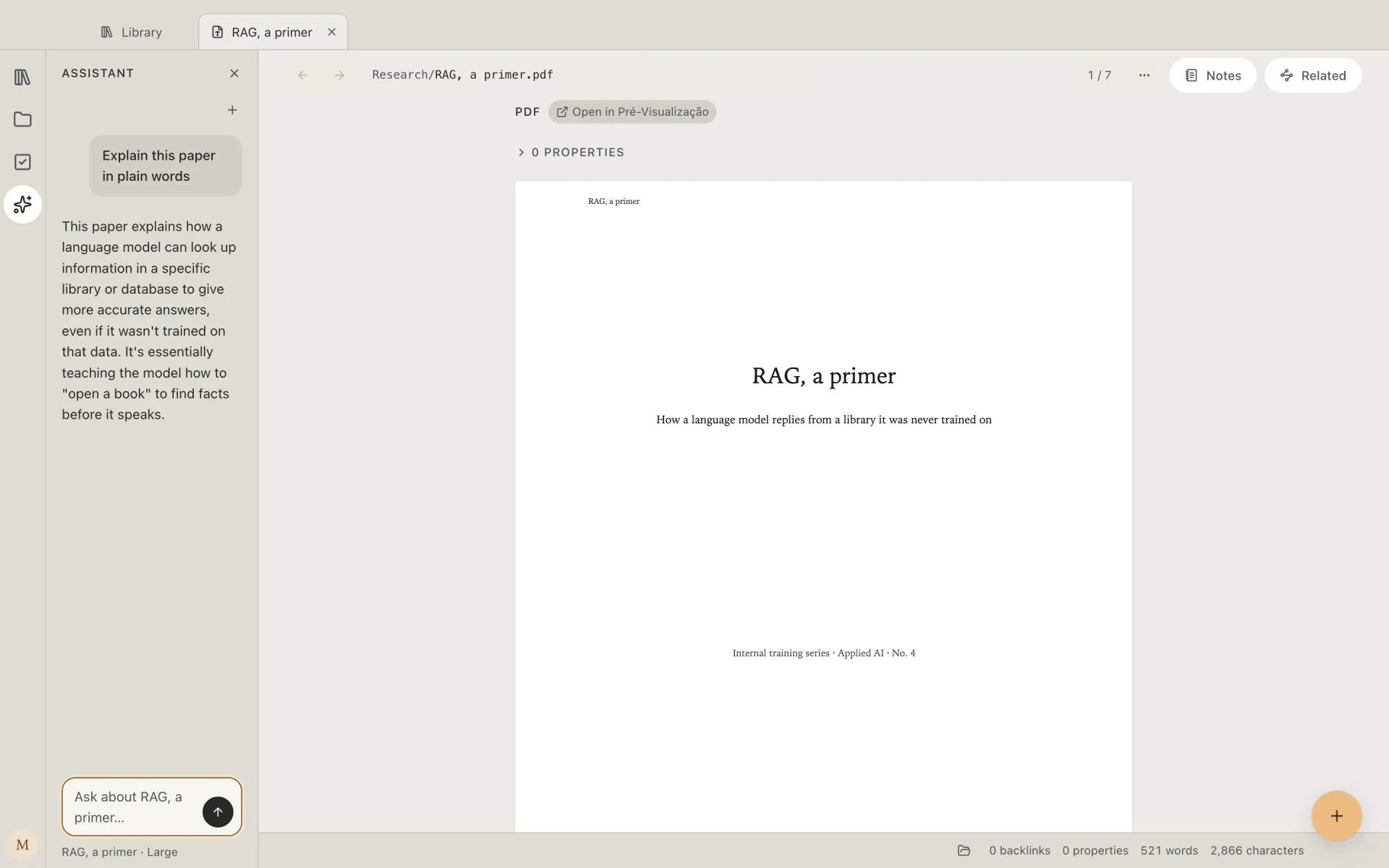
Find the paper, then ask what it says.
Search for what it's about, not its name, and the paper turns up. Then ask the AI to explain it in plain words.
Ask the AI to draw how it works.
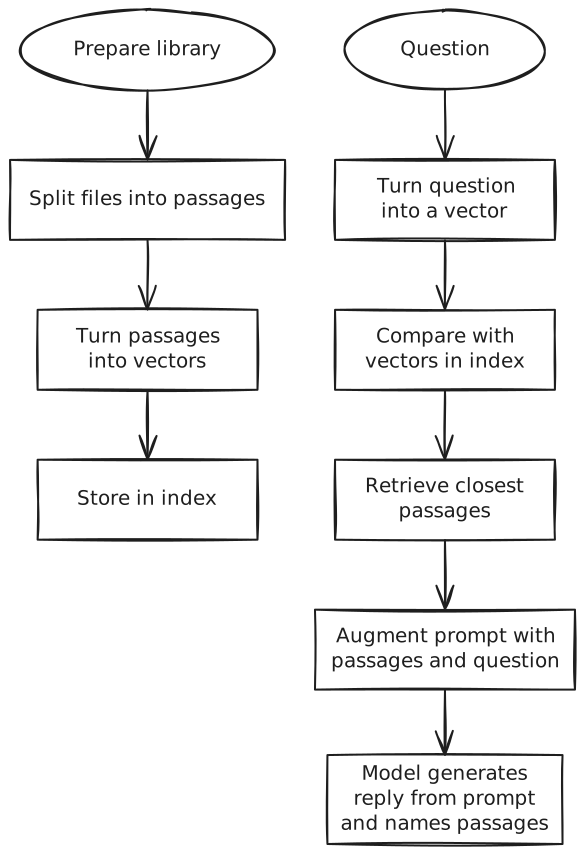
Select the paragraph that describes it, and the AI draws it as a diagram.
Retrieval-augmented generation answers in three steps. First, the question is turned into a vector and compared with the vectors of every passage in the library, and the closest passages are retrieved. Second, those passages are placed in the prompt beside the question: the prompt is augmented. Third, the model generates its reply from that prompt and names the passages it used. Before any question is asked, the library is prepared once: each file is split into passages, and each passage is turned into a vector and stored in an index.
⌘JCtrl+J Draw this as a flow
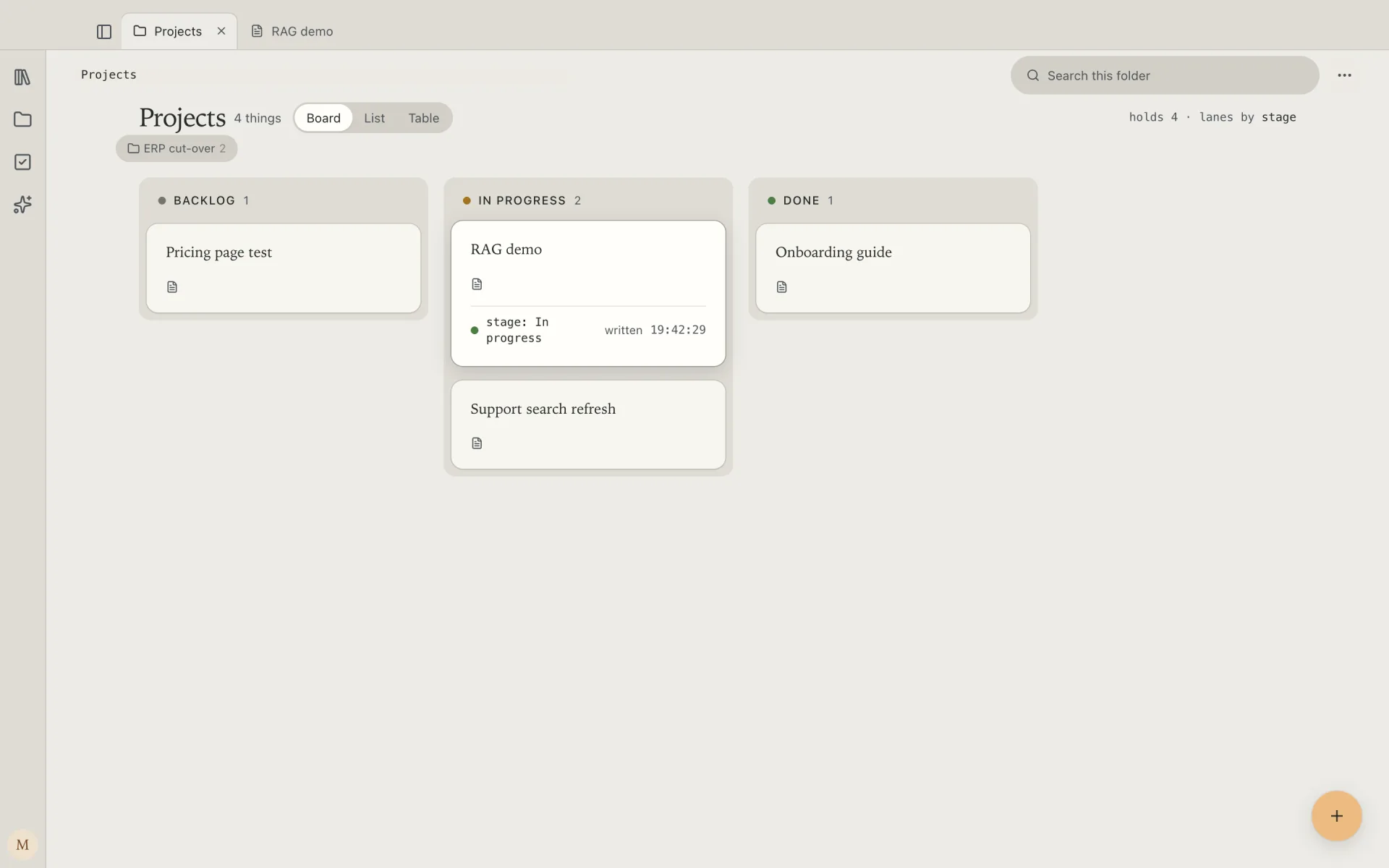
Start the project note and put it on your board.
Create a project to implement a RAG demo, then drag it from Backlog to In Progress when starting.
Your files never leave your computer.
No account. No cloud. It works on a plane.
- AI included — it runs on your computer
- Works offline once installed
- Plain files: Obsidian opens them too
Coming from Obsidian, Notion, Logseq or Heptabase?
Your Obsidian vault opens as it is. Notion and Logseq exports are folders of Markdown: open them the same way.
There is no export step, because there was never an import step.
$99
Once.
One payment, yours for good, with a year of updates.
- AI included, no plan to buy
- Works offline · no account to try
- 7-day free trial, no card
- 30-day money back, no questions
DownloadDownload for MacDownload for WindowsSend this link to your computerAlso for Windows
Questions
Do I need an AI subscription?
No. The AI runs on your computer and comes with ThinkE: no plan, no monthly bill.
Does anything I write go to the cloud?
No. Your files never leave your computer, and the AI runs there too. ThinkE goes online to download its models, fetch the pages you choose to save, check for updates, confirm your licence and send crash reports you can turn off — never with your notes.
Which computers run it?
Macs with Apple silicon, and Windows PCs. The AI needs 16 GB of memory. See the requirements
What does “a year of updates” mean?
Every update released in the year after you buy is yours. After that, ThinkE keeps working as it is, for good.
Can I open my Obsidian vault?
Yes. ThinkE reads the folder as it is: plain Markdown files. Nothing is imported, so nothing needs exporting.
What if ThinkE stops one day?
Your notes are a folder of Markdown files that Obsidian, VS Code and any text editor open today. Nothing about them depends on us.